
Marketing brings leads in, and sales turns them into customers. Between those two points, each lead passes through a handoff to sales, a first contact, a sales meeting and a qualified opportunity. When few marketing leads become customers, the cause sits at one or more of those stages, and a RevOps consultancy starts its work by finding which one.
Why Marketing Leads Don't Convert
The reasons sit on both sides of the handoff. Some come from the leads your campaigns bring in and pass on, and the rest come from what happens to those leads once sales has them.
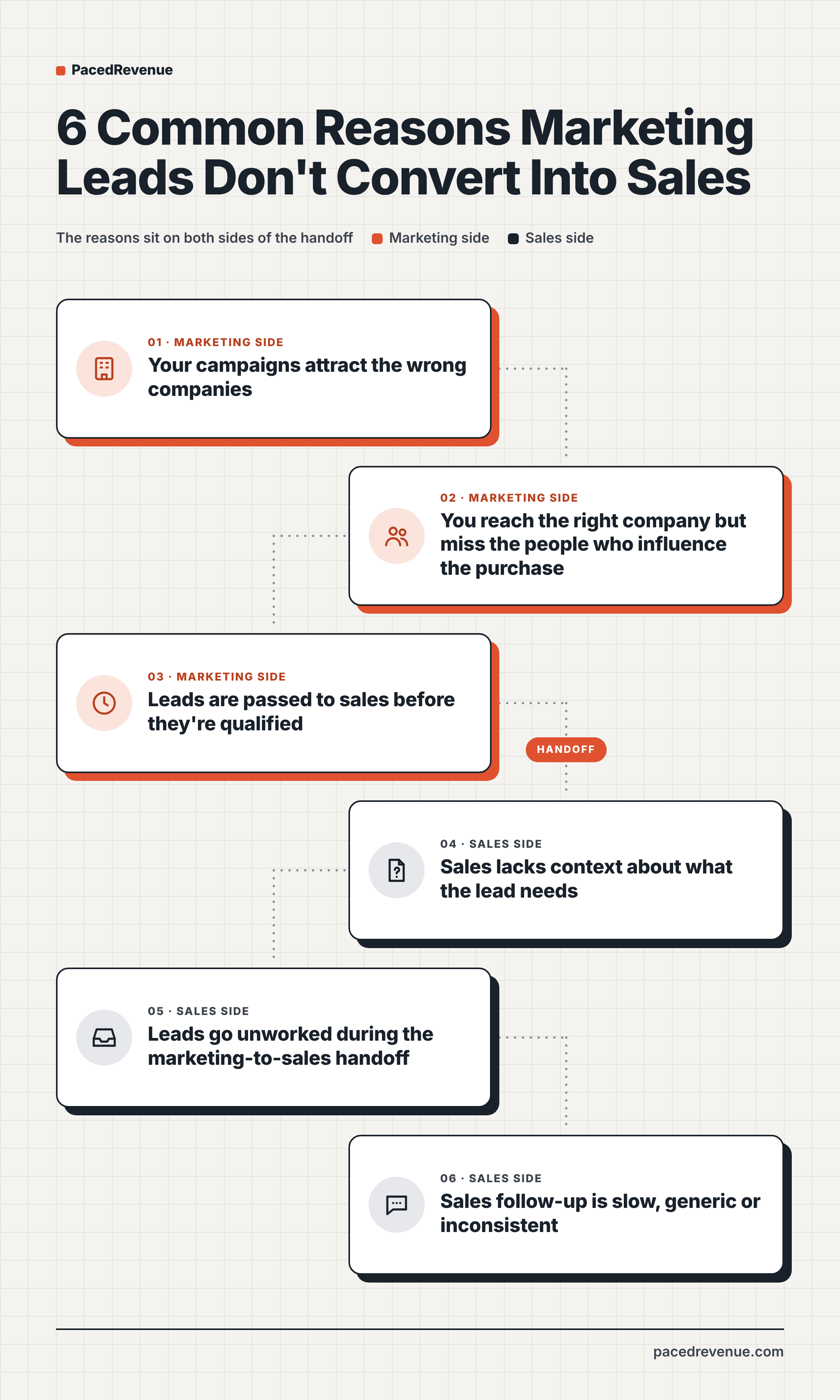
Your Campaigns Attract the Wrong Companies
Your ideal customer profile (ICP) describes the type of company that gets the most value from your product. Campaigns aimed at a wide audience, or built around a broad topic, also attract companies outside that profile. These companies are interested in the subject, but they don't have the problem your product solves or they're the wrong size for it, so their leads close at a low rate.
You Reach the Right Company but Miss the People Who Influence the Purchase
In B2B, a purchase involves the people whose work the product changes and the leaders responsible for that work, a group often called the buying committee. Campaigns targeted by company traits alone accept leads from any job title in those companies. When a lead's role plays no part in the purchase, sales has a company that fits and a contact who can't bring the buying committee into the conversation.
Leads Are Passed to Sales Before They're Qualified
Leads arrive at different points in their buying process. Some are learning about a topic, and others already have a project and a timeline to buy. When every lead goes to sales as soon as it comes in, both kinds share the same queue. Reps then call leads that are still learning, and those conversations go no further than the first call.
Sales Lacks Context About What the Lead Needs
Marketing tools record how each lead found you and what they looked at before getting in touch. That history often stays in the marketing automation platform, and the record that syncs to the CRM (customer relationship management system) carries little more than a name and an email address. A rep opening that record knows who the lead is and nothing about the need that brought them in.
Leads Go Unworked During the Marketing-to-Sales Handoff
Marketing passes leads to sales through routing rules in the CRM, which assign each new lead to a sales rep or a sales development representative (SDR, the role that qualifies inbound leads and books meetings). A lead that no rule covers stays unassigned, and no one is responsible for contacting it.
Sales Follow-Up Is Slow, Generic or Inconsistent
- Slow follow-up reaches the lead days after their request, once the interest behind it has faded.
- Generic follow-up sends every lead the same messages, whatever their needs, so what they receive has little to do with why they got in touch.
- Inconsistent follow-up varies from rep to rep, so the number of contacts a lead receives depends on who it's assigned to.
How to Find Where Leads Are Dropping Off
Your CRM shows how many leads reach each stage. Divide the count at one stage by the count at the stage before it to get the funnel conversion rate between them. Compare each rate with its own history and across lead sources. A rate that has dropped over time, or one that is much lower for some sources, marks the stage to look at.
Leads Rarely Book a Sales Meeting
Before the first meeting, the cause lies either in the leads themselves or in the first contact from sales. Two checks in the CRM tell these apart:
- Compare the leads that never booked with your ICP and your target job titles. A large share outside both points to targeting or qualification.
- Look at the assignment and contact history of those leads. Leads with no assigned rep point to the handoff, and those that waited a long time for a first reply or received fewer contacts than others point to follow-up.
Sales Meetings Rarely Turn Into Qualified Opportunities
A qualified opportunity is a deal sales opens in the CRM after confirming the company has a need and a timeline to buy. The reasons reps record after each meeting show why a meeting didn't become one:
- Notes saying the contact plays no part in the purchase, or the company has no plans to buy yet, point to buyer roles or qualification.
- Meetings the rep went into with no information on what the lead needed point to missing context.
Qualified Opportunities Rarely Become Customers
Compare the win rate (the share of opportunities that become customers) for opportunities from marketing leads with the win rate for opportunities from your other lead sources. When the two rates are similar, marketing's leads close as well as the rest of your pipeline, and the work at this stage sits in the sales process. A lower rate for marketing leads points back to the companies and buyer roles your campaigns reach. Lost-deal reasons and the gaps between contacts on lost opportunities show whether follow-up slowed during the deal.
How to Improve Marketing Lead Conversion
Refine Your Target Accounts and Buyer Roles
Build your ICP from the customers you've already won. Pull your closed-won deals from the CRM, list the traits those companies share, such as industry, company size, region and the tools they use, and turn the most common traits into your ICP. Companies that match it make up your target account list, which sets the audience for your paid campaigns and the companies sales and marketing focus on.
For buyer roles, record the job titles of the contacts involved in each won deal. Write a buyer persona (a short profile of what that person is responsible for and what they need from a product like yours) for each recurring role. Use those titles to target campaigns on LinkedIn, and add a job title or role field to your forms so every lead arrives with its role recorded.
Agree on Which Leads Are Ready for Sales
Write the qualification criteria together with sales, and base them on two things:
- Fit means the company matches your ICP and the contact holds one of your buyer roles.
- Intent means the lead's engagement with your marketing, and any project or timeline they've shared, shows interest in buying.
Lead scoring in your marketing automation platform turns these criteria into points, and a lead passes to sales once its score reaches the level both teams agreed. The usual names for the two stages are marketing qualified lead (MQL), for a lead that meets the agreed criteria, and sales qualified lead (SQL), for one that sales has checked and accepted. Leads that fit but show little intent go into a nurture program (a series of emails and content on the topic they engaged with) until their score rises. Review the criteria with sales on a regular schedule, using the reasons reps give when they reject a lead.
Define What Information Sales Needs and Who Owns Each Lead
Agree with sales on the fields every lead carries into the CRM. A useful set covers:
- Lead source and campaign
- Pages visited and content engaged with
- Answers the lead gave marketing
- Lead score and the criteria it met
- Job title and buyer role
Set these fields to sync from your marketing automation platform to the CRM, so the rep sees them on the lead record.
For ownership, set routing rules that assign every new lead to one specific rep by territory or company size, and send any lead no rule matches to a round-robin queue (a rotation that shares leads evenly across a group of reps). Agree on how long a rep has to make first contact, and add a rule that reassigns the lead when that time passes. These terms together form a service level agreement (SLA) between marketing and sales. A CRM report of assigned leads with no activity shows any that slip past the rules.
Tailor Follow-Up to the Buyer's Needs and Timing
Open the first message with the reason the lead got in touch, drawn from the fields above. Build separate follow-up sequences for each main lead source and buyer role, using the buyer persona to choose the content each one receives.
Match the pace of follow-up to the timeline the lead gave sales. A lead planning to buy soon gets a meeting request, and a lead planning further ahead gets useful content at a slower pace, with a check-in as their date gets closer. Set the sequences up in your sales engagement or marketing automation tool, so every lead receives each planned contact in order and reps spend their time on replies and calls.
Conclusion
Each change in this guide applies to one stage of the funnel, so the conversion rate at that stage shows whether it's working. Making one change at a time keeps the effect of each one clear. Over time, these results show which changes move the most leads forward and where marketing and sales effort goes next.